Security Guides
What Are IAM and PAM? A Practical Guide to Identity and Privileged Access
A practical guide to IAM and PAM covering identity lifecycle, SSO, MFA, OAuth, OIDC, SAML, SCIM, RBAC, ABAC, ReBAC, service accounts, machine identity, privileged access, audit logging, and a 30/60/90-day rollout roadmap.
💡Key Takeaways
- A practical guide to IAM and PAM covering identity lifecycle, SSO, MFA, OAuth, OIDC, SAML, SCIM, RBAC, ABAC, ReBAC, service accounts, machine identity, privileged access, audit logging, and a 30/60/90-day rollout roadmap.
What Are IAM and PAM? A Practical Guide to Identity, SSO, MFA, RBAC, ABAC, Service Accounts and Privileged Access
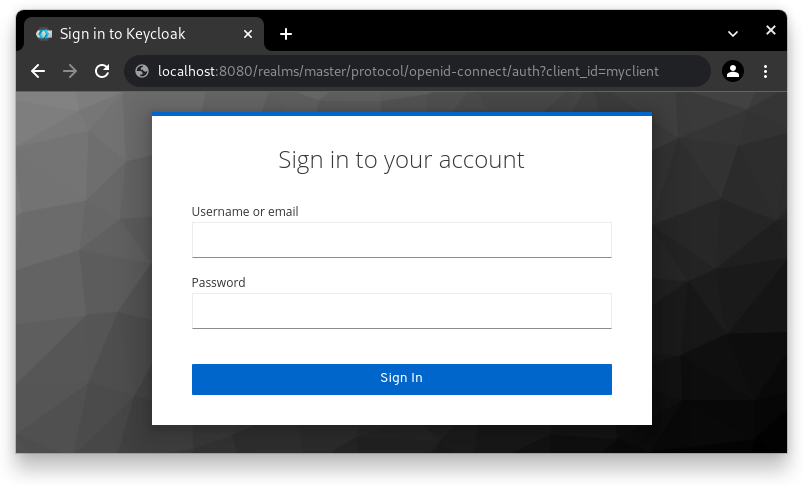
PNG image opened and checked before being inserted into this Markdown file. Extracted from the official Keycloak website, used to illustrate SSO/login. Not SVG.1
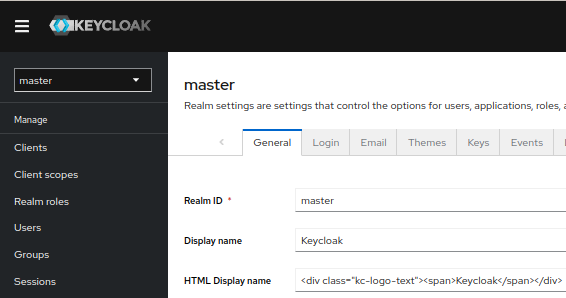
PNG image opened and checked before being inserted into this Markdown file. Extracted from the official Keycloak website, used to illustrate IAM administration. Not SVG.2
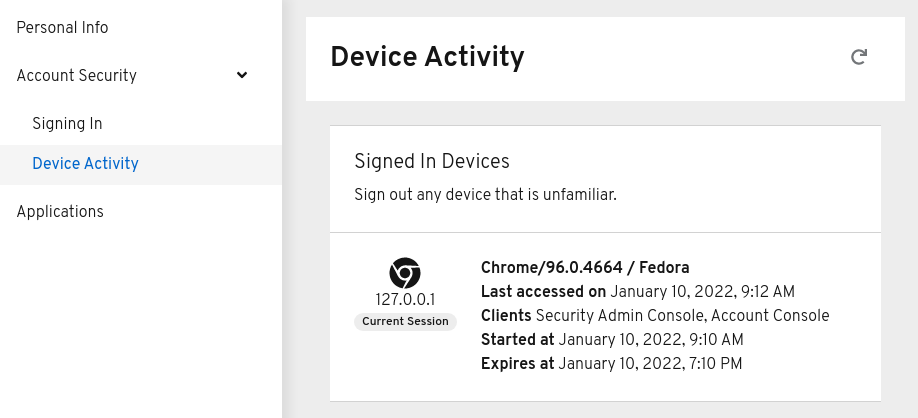
PNG image opened and checked before being inserted into this Markdown file. Extracted from the official Keycloak website, used to illustrate session and device management. Not SVG.3
Quick summary
IAM means Identity and Access Management: the policies, processes and technologies used to manage identities, authenticate users and services, grant access, control account lifecycle and audit activity. IAM answers questions such as: who is this user, how do they sign in, which groups do they belong to, which apps can they access, when does access expire and who approved it?
PAM means Privileged Access Management: the management of high-risk privileges such as system admin, root, database admin, cloud admin, Kubernetes cluster-admin, break-glass accounts, high-privilege service accounts and CI/CD accounts that can deploy production. PAM focuses on the most dangerous permissions.
NIST SP 800-63 Revision 4 is the Digital Identity Guidelines suite for identity proofing, authentication and federation; the revision includes updates for synced passkeys, continuous evaluation metrics and risks such as forged media/deepfakes.4 OWASP Authorization Cheat Sheet emphasizes that authorization is different from authentication; an authenticated user is not automatically authorized to access every resource or action.5 Keycloak describes itself as Open Source Identity and Access Management and supports SSO, identity brokering, user federation, admin console, account management, OpenID Connect, OAuth 2.0 and SAML.6
Simple version: IAM controls identities and general access; PAM controls privileged access that can cause major damage if misused.
Why IAM/PAM is foundational
Many security incidents do not start with advanced malware. They start with compromised accounts, leaked tokens, excessive privileges or old accounts that were never disabled.
Example:
Employee leaves
  ↓
SaaS account is not disabled
  ↓
API token still works
  ↓
Customer data is exported
Another example:
CI/CD secret leaks
  ↓
Attacker obtains cloud admin key
  ↓
Creates resources / reads database backups / changes DNS
  ↓
System compromise
Strong IAM/PAM reduces these risks by:
- strengthening authentication;
- granting least privilege;
- revoking access automatically;
- requiring approval for privileged access;
- recording audit logs;
- detecting abnormal behavior;
- reducing permanent admin privileges;
- managing both human and machine identities.
What IAM is not
| IAM is | IAM is not |
|---|---|
| Identity, authentication, authorization, lifecycle and audit | Just a login screen |
| Joiner/mover/leaver process | Manually creating users and forgetting them |
| SSO, MFA, provisioning and access review | Username/password storage only |
| Human and non-human identity management | Only employee accounts |
| Least privilege and policy | Giving everyone admin |
| A foundation of Zero Trust | A product you buy once and finish |
What PAM is not
| PAM is | PAM is not |
|---|---|
| Managing privileged access and high-risk accounts | Only rotating admin passwords |
| JIT/JEA, approval, session recording, vaulting and audit | Shared root accounts |
| Cloud admin, DB admin, Kubernetes admin and CI/CD deploy control | Only Windows admin tooling |
| Reducing standing privilege | Permanent admin access |
| Controlled break-glass access | No emergency access |
| Periodic testing and auditing | One-time setup |
Authentication, Authorization and Accounting
| Component | Question | Example |
|---|---|---|
| Authentication | Who are you? | password, passkey, MFA, OIDC login |
| Authorization | What can you do? | RBAC, ABAC, ReBAC, ownership check |
| Accounting/Audit | What did you do? | audit log, session log, admin action log |
A common mistake is treating successful login as permission. OWASP emphasizes that authentication and authorization are separate; authenticated users are not automatically authorized for all resources or actions.5
Identity lifecycle: Joiner, Mover, Leaver
Good IAM starts with account lifecycle.
Joiner
When someone joins:
- create account from HR source;
- assign groups/roles based on job;
- enable MFA/passkeys;
- issue device;
- grant required SaaS/apps;
- record approval;
- provide security training.
Mover
When someone changes role:
- remove old-role permissions;
- grant new-role permissions;
- review privileged access;
- check nested groups;
- update owner/team attributes;
- revoke unneeded tokens.
Leaver
When someone leaves:
- disable account immediately;
- revoke sessions;
- revoke refresh tokens/API tokens;
- remove groups;
- recover devices;
- rotate shared secrets if needed;
- transfer resource ownership;
- retain audit logs.
The “mover” process is often where privilege creep starts.
What is SSO?
SSO means Single Sign-On: users authenticate once through an identity provider, then access multiple applications without separate login for each app.
Keycloak describes SSO as users authenticating with Keycloak instead of individual applications; once logged in, users do not have to log in again for different applications using Keycloak.7
Benefits:
- fewer passwords;
- centralized MFA;
- one place to disable users;
- centralized login audit;
- SaaS and internal app integration;
- fewer custom login forms.
Risks:
- IdP becomes critical infrastructure;
- misconfigured SAML/OIDC can cause bypass;
- overly long session/token lifetime;
- apps may validate tokens incorrectly;
- no break-glass process if IdP fails.
MFA and passkeys
MFA means multi-factor authentication: using at least two factor categories.
| Factor | Example |
|---|---|
| Something you know | password, PIN |
| Something you have | security key, authenticator app, device |
| Something you are | local biometric unlock |
Passkeys/WebAuthn/FIDO2 reduce phishing risk better than SMS or email OTP. NIST SP 800-63B Revision 4 integrates syncable authenticators such as synced passkeys into the updated guidelines.4
Recommendations:
- MFA for all users;
- phishing-resistant MFA for admins;
- avoid SMS OTP for high-privilege accounts where possible;
- support passkeys/security keys;
- require step-up MFA for risky actions;
- maintain secure recovery process.
OAuth, OIDC and SAML in IAM
OAuth 2.0
OAuth is an authorization framework, often used to issue access tokens for API access.
OpenID Connect
OIDC is an identity layer on top of OAuth 2.0, used for login/SSO. It fits modern web, mobile and API applications.
SAML
SAML is an older but widely used enterprise federation standard.
SCIM
SCIM is used for user and group provisioning/deprovisioning between identity providers and applications. RFC 7644 defines the SCIM Protocol.8
Quick selection:
| Need | Common choice |
|---|---|
| Modern web app login | OIDC |
| API authorization | OAuth 2.0 |
| Enterprise SaaS SSO | SAML |
| Automated user provisioning | SCIM |
| Internal machine-to-machine | OAuth client credentials, mTLS, SPIFFE |
RBAC, ABAC and ReBAC
RBAC
Role-Based Access Control grants permissions through roles.
Example:
role: finance_reader
permissions:
  - invoice:read
  - payment:read
It is easy to start with but can create role explosion.
ABAC
Attribute-Based Access Control uses attributes.
Example:
allow if user.department == "finance"
and resource.department == "finance"
and request.time in business_hours
and device.compliant == true
Flexible, but requires trustworthy attributes and clear policy.
ReBAC
Relationship-Based Access Control uses relationships.
Example:
user Alice can view document X
if Alice is member of team Y
and team Y owns document X
Useful for systems like document sharing, GitHub-style org/team/repo permission, CRM ownership or multi-tenant SaaS.
OWASP recommends considering Attribute-Based and Relationship-Based Access Control over RBAC where access requirements are complex.5
Least privilege and deny by default
Core principles:
Least privilege: grant only what is required
Deny by default: if no rule matches, deny
OWASP recommends least privilege, deny by default and permission validation on every request.5
Good policy examples:
Users can read only invoices in their tenant
Support admins can impersonate only with a valid ticket
Developers can deploy staging by default
Production deploy requires approval and step-up MFA
Bad policy examples:
All employees can read every dashboard
All developers have cloud admin
CI/CD token can create/delete all resources
Service accounts and machine identity
IAM is not only for people. Modern systems contain many non-human identities:
- service accounts;
- API keys;
- OAuth clients;
- Kubernetes service accounts;
- cloud workload identities;
- CI/CD runners;
- database users;
- robot accounts;
- webhook secrets;
- AI agent identities.
Risks:
- no rotation;
- no expiry;
- no owner;
- excessive permissions;
- unknown usage;
- credentials in Git/logs;
- weak auditing.
Recommendations:
- one identity per service;
- clear owner;
- minimal scope;
- rotation;
- short-lived credentials;
- OIDC federation for CI/CD;
- workload identity instead of static keys;
- no shared accounts;
- service-level audit logs;
- delete unused identities.
SPIFFE is a framework for workload identity in distributed systems and is often used in Zero Trust workload identity models.9
PAM: controlling privileged access
Privileged access includes:
- domain admin;
- root/sudo;
- database admin;
- cloud admin;
- Kubernetes cluster-admin;
- firewall/DNS/CDN admin;
- break-glass accounts;
- CI/CD production deploy;
- secret manager admin;
- backup admin;
- IAM admin.
PAM should include:
- credential vaulting;
- no shared passwords where possible;
- strong MFA;
- just-in-time access;
- approval workflow;
- session recording/logging;
- command logging;
- break-glass policy;
- automatic rotation;
- periodic access review;
- abnormal behavior alerts.
Just-in-Time and Zero Standing Privilege
Standing privilege means access is always available. Example: a developer has production admin 24/7 though they deploy once a week.
Just-in-Time access grants permission for a short duration after reason and approval.
Example:
User requests production database read-only
  ↓
Manager/owner approves
  ↓
MFA step-up
  ↓
Access granted for 30 minutes
  ↓
Session logged
  ↓
Access automatically revoked
The target is zero-standing privilege: no one keeps privileged access permanently unless required.
Access review
Access review checks who has access and whether it is still needed.
Review:
- admin roles;
- production access;
- database access;
- SaaS admin;
- GitHub org/repo admin;
- cloud IAM;
- Kubernetes RBAC;
- service accounts;
- API keys;
- break-glass accounts.
Questions:
Who owns this access?
Is the user still on that team?
When was it last used?
Is there approval?
Can the scope be reduced?
Can it move to JIT?
IAM/PAM audit logging
Log:
- login success/failure;
- MFA enrollment/change;
- password/passkey reset;
- group/role changes;
- privilege elevation;
- access request/approval;
- admin console action;
- token creation/revocation;
- service account key creation;
- SSO app config change;
- failed authorization;
- break-glass usage;
- session recording metadata.
Do not log:
- passwords;
- OTPs;
- access tokens;
- refresh tokens;
- private keys;
- recovery codes.
Useful alerts:
Admin login from unusual location
MFA disabled
Multiple login failures
Admin role granted outside change window
New service account key created
Break-glass account used
Broad OAuth consent granted
Token validation failure spike
How Keycloak fits IAM
Keycloak is a popular open-source SSO/IAM option. The Keycloak website describes it as Open Source Identity and Access Management, supporting SSO, identity brokering, user federation, admin console, account management, OpenID Connect, OAuth 2.0, SAML and authorization services.6
Use Keycloak when:
- internal applications need SSO;
- OIDC/SAML is required;
- LDAP/Active Directory integration is needed;
- user federation is required;
- realm/client/role management is needed;
- self-hosted IAM is preferred;
- login themes or flows need customization.
Operational notes:
- Keycloak is critical infrastructure;
- backup and monitor it;
- configure tokens and sessions carefully;
- restrict redirect URIs;
- require MFA/RBAC for admin console;
- test upgrades;
- do not put client secrets in frontend apps;
- export audit logs to SIEM/log platform.
OpenFGA, OPA and OPAL
OpenFGA
OpenFGA is a fine-grained authorization system inspired by Zanzibar, useful for relationship-based access control in multi-tenant SaaS and resource sharing systems.
OPA
Open Policy Agent is a general-purpose policy engine using Rego for Kubernetes, API gateways, CI/CD and application authorization.
OPAL
OPAL is an Open Policy Administration Layer for policy engines such as OPA and Cedar Agent; its docs say OPAL detects changes to policy and policy data in real time and pushes live updates to agents.10
Model:
Application
  ↓ asks "can user do this action?"
Authorization service / policy engine
  ↓
Policy + relationship/attribute data
  ↓
Decision: allow/deny
Do not put complex authorization logic only in the frontend.
IAM/PAM for cloud
Cloud IAM is a major risk surface.
Checklist:
- do not use root account for daily work;
- MFA for root/admin;
- separate accounts/projects/subscriptions by environment;
- least-privilege IAM policies;
- avoid broad
*; - use role assumption/JIT;
- short-lived credentials;
- OIDC federation for CI/CD;
- avoid long-lived cloud access keys;
- detect public access;
- log IAM changes;
- review service principals;
- rotate keys;
- alert on admin policy creation.
IAM/PAM for Kubernetes
Checklist:
- no shared admin kubeconfig;
- OIDC integration for user login;
- namespace-scoped RBAC;
- no broad cluster-admin;
- dedicated service accounts per workload;
automountServiceAccountToken: falsewhere not needed;- audit
kubectl exec,port-forwardand secret reads; - short-lived kube credentials;
- break-glass policy;
- least-privilege GitOps controller;
- CI/CD deploy rights limited by namespace.
IAM/PAM for AI agents
AI agents can read files, call APIs, edit code, run commands, create PRs and deploy. They need identities and policy.
Checklist:
- one identity per agent;
- scoped tool permissions;
- avoid personal user tokens where possible;
- approval for dangerous actions;
- log every tool call;
- restrict filesystem/network access;
- never put secrets in prompts;
- short-lived tokens;
- task-specific policy;
- revoke unused agents;
- separate dev/staging/prod agent permissions.
30/60/90-day rollout roadmap
Days 1–30: identity foundation
- Inventory users, groups, apps and admin accounts.
- Enable MFA for admins.
- Enable MFA for all users where possible.
- Disable unused accounts.
- Standardize SSO for critical apps.
- Review cloud and SaaS admins.
- Separate admin and normal accounts.
- Create joiner/mover/leaver process.
- Enable audit logs for IdP, cloud, Git and CI/CD.
- Inventory service accounts and API keys.
Days 31–60: least privilege and lifecycle
- Apply clear RBAC/ABAC for critical apps.
- Use SCIM provisioning/deprovisioning for major SaaS apps.
- Review nested groups.
- Remove unused permissions.
- Create periodic access reviews.
- Reduce permanent admin rights.
- Create break-glass policy.
- Rotate shared secrets.
- Move CI/CD to OIDC federation where possible.
- Assign owners to service accounts.
Days 61–90: PAM and automation
- Implement JIT for production/cloud/database access.
- Add admin session logging.
- Use vault/secret manager for privileged credentials.
- Alert on admin role changes.
- Require phishing-resistant MFA for admins.
- Add policy-as-code where useful.
- Build IAM risk dashboard.
- Drill emergency leaver process.
- Drill leaked service account key response.
- Start zero-standing privilege for high-risk groups.
Quick checklist
Identity
- SSO.
- MFA/passkeys.
- Strong recovery process.
- HR-driven lifecycle.
- SCIM provisioning.
- Device/session visibility.
- Audit logs.
- Dormant account cleanup.
Access
- Least privilege.
- Deny by default.
- RBAC/ABAC/ReBAC where appropriate.
- Access review.
- Policy tests.
- Ownership checks.
- Step-up MFA for sensitive actions.
Privileged Access
- No shared admin.
- JIT access.
- Approval workflow.
- Session logging.
- Break-glass account.
- Credential rotation.
- Strong admin MFA.
- Alerting.
Machine Identity
- Service account inventory.
- Owner per identity.
- Short-lived credentials.
- OIDC federation.
- Secret rotation.
- Minimal scope.
- No keys in Git.
- Service identity logs.
Common mistakes
- Focusing on login while ignoring authorization.
- No leaver process.
- Users keep old access after team changes.
- Shared admin accounts.
- Broad cloud admin access.
- Ownerless service accounts.
- API keys that never expire.
- Unknown OAuth app consents.
- Not validating token audience/issuer.
- Overly broad SAML/OIDC redirect URIs.
- No MFA for admins.
- No access reviews.
- No logs for permission changes.
- Untested break-glass accounts.
- CI/CD using long-lived static cloud keys.
Reference tooling
| Need | Tool/standard |
|---|---|
| Open-source SSO/IAM | Keycloak |
| Enterprise IdP | Microsoft Entra ID, Okta, Google Workspace, Ping, Auth0 |
| Protocols | OAuth 2.0, OpenID Connect, SAML, SCIM |
| Passwordless/MFA | WebAuthn, FIDO2, Passkeys |
| Fine-grained authorization | OpenFGA, OPA, Cedar |
| Policy distribution | OPAL |
| Workload identity | SPIFFE/SPIRE, cloud workload identity |
| Secrets/PAM | Vault, cloud secret manager, PAM platforms |
| Audit/SIEM | OpenTelemetry/log platform/SIEM |
| Access review | IdP governance, custom reports, SaaS admin exports |
FAQ
What is IAM?
IAM means Identity and Access Management: managing identities, authentication, authorization, account lifecycle, provisioning/deprovisioning and audit.
What is PAM?
PAM means Privileged Access Management: managing high-risk access such as admin, root, cloud admin, database admin, Kubernetes cluster-admin, break-glass accounts and high-privilege service accounts.
How is authentication different from authorization?
Authentication verifies who you are. Authorization decides what you can do. A logged-in user is not automatically allowed to read or modify every resource.5
Is SSO enough?
No. SSO centralizes login, but you still need MFA, good token/session policy, correct authorization, audit logs, safe app configuration and break-glass planning.
Is RBAC or ABAC better?
RBAC is easier to start with. ABAC is more flexible for policies involving attributes such as department, device, location and risk. Large systems may combine RBAC, ABAC and ReBAC.
Do service accounts need IAM governance?
Yes. Service accounts often have powerful permissions and little human oversight. They need ownership, scope, rotation, short-lived credentials and audit.
Conclusion
IAM and PAM are core foundations of modern IT security. If identities, access and privileged accounts are poorly managed, other security layers become weaker. The goal is not just to have a login screen; it is to control the full identity lifecycle: who gets an account, what access they receive, why they receive it, how long it lasts, who approved it and how activity is logged.
A practical rollout starts with SSO, MFA, joiner/mover/leaver processes, audit logs and admin access review. Then reduce privilege creep, apply least privilege, govern service accounts, use SCIM, move privileged access into JIT/PAM and progress toward zero-standing privilege for high-risk systems. Strong IAM/PAM reduces account takeover, insider threat, credential leakage and cloud privilege escalation risk.
References
Footnotes
-
Keycloak official website image, login screen. https://www.keycloak.org/resources/images/screen-login.png ↩
-
Keycloak official website image, admin console. https://www.keycloak.org/resources/images/screen-admin.png ↩
-
Keycloak official website image, account management. https://www.keycloak.org/resources/images/screen-account.png ↩
-
NIST SP 800-63 Revision 4. “Digital Identity Guidelines.” https://pages.nist.gov/800-63-4/ ↩ ↩2
-
OWASP Cheat Sheet Series. “Authorization Cheat Sheet.” https://cheatsheetseries.owasp.org/cheatsheets/Authorization_Cheat_Sheet.html ↩ ↩2 ↩3 ↩4 ↩5
-
Keycloak official website. https://www.keycloak.org/ ↩ ↩2
-
Keycloak official website, Single-Sign On section. https://www.keycloak.org/ ↩
-
RFC 7644. “System for Cross-domain Identity Management: Protocol.” https://www.rfc-editor.org/rfc/rfc7644 ↩
-
SPIFFE. https://spiffe.io/ ↩
-
OPAL Docs. https://docs.opal.ac/ ↩
Written by PixelRouter Editorial Team
We publish deep, authoritative guides on AI infrastructure, API gateway security, cloud financial management, and system optimizations for developers.
FAQ
What is IAM?
IAM means Identity and Access Management: managing identities, authentication, authorization, account lifecycle, provisioning, deprovisioning and audit.
What is PAM?
PAM means Privileged Access Management: managing high-risk access such as admin, root, cloud admin, database admin, Kubernetes cluster-admin, break-glass accounts and high-privilege service accounts.
How is authentication different from authorization?
Authentication verifies who you are. Authorization decides what you can do. A logged-in user is not automatically allowed to read or modify every resource.
Is SSO enough?
No. SSO centralizes login, but you still need MFA, good token and session policy, correct authorization, audit logs, safe app configuration and break-glass planning.
Is RBAC or ABAC better?
RBAC is easier to start with. ABAC is more flexible for policies involving attributes such as department, device, location and risk. Large systems may combine RBAC, ABAC and ReBAC.
Do service accounts need IAM governance?
Yes. Service accounts often have powerful permissions and little human oversight. They need ownership, scope, rotation, short-lived credentials and audit.
📂Related posts
Security Guides
What Are DNS Security and Email Authentication? DNSSEC, DoH, DoT, SPF, DKIM, DMARC and CAA Explained
A practical guide to DNS Security and Email Authentication, covering DNSSEC, DoH, DoT, CAA, SPF, DKIM, DMARC, MTA-STS, TLS-RPT, common mistakes, checklists and a 30/60/90-day rollout roadmap.
Security Guides
What Is Zero Trust Architecture? A Practical IT Guide
A practical guide to Zero Trust Architecture, covering never trust always verify, ZTNA, MFA, least privilege, device posture, micro-segmentation, telemetry, policy-as-code, and a rollout roadmap for IT teams.