Open-Source AI
What Is Open-LLM-VTuber? Build a Local Voice AI Companion with Live2D
A detailed guide to Open-LLM-VTuber, an open-source project combining LLMs, speech recognition, text-to-speech and Live2D to create a local cross-platform AI companion.
💡Key Takeaways
- A detailed guide to Open-LLM-VTuber, an open-source project combining LLMs, speech recognition, text-to-speech and Live2D to create a local cross-platform AI companion.

Image source: Open-LLM-VTuber repository, assets/banner.jpg: https://github.com/Open-LLM-VTuber/Open-LLM-VTuber/blob/main/assets/banner.jpg
Quick summary
Open-LLM-VTuber is an open-source system for building a voice-interactive AI character with a Live2D avatar, optional camera or screen vision and spoken responses. Its components can run entirely on a local computer when suitable local models are selected.[1]
The project supports Windows, macOS and Linux and offers:
- a browser-based interface;
- an Electron desktop client;
- a transparent desktop-pet mode.[1][2]
It is not one AI model. It connects several modules:
- ASR converts speech into text;
- an LLM or agent creates the response;
- TTS converts the response into audio;
- a Live2D frontend displays the character and expressions;
- camera or screen capture can provide visual context.[1]
Main interface
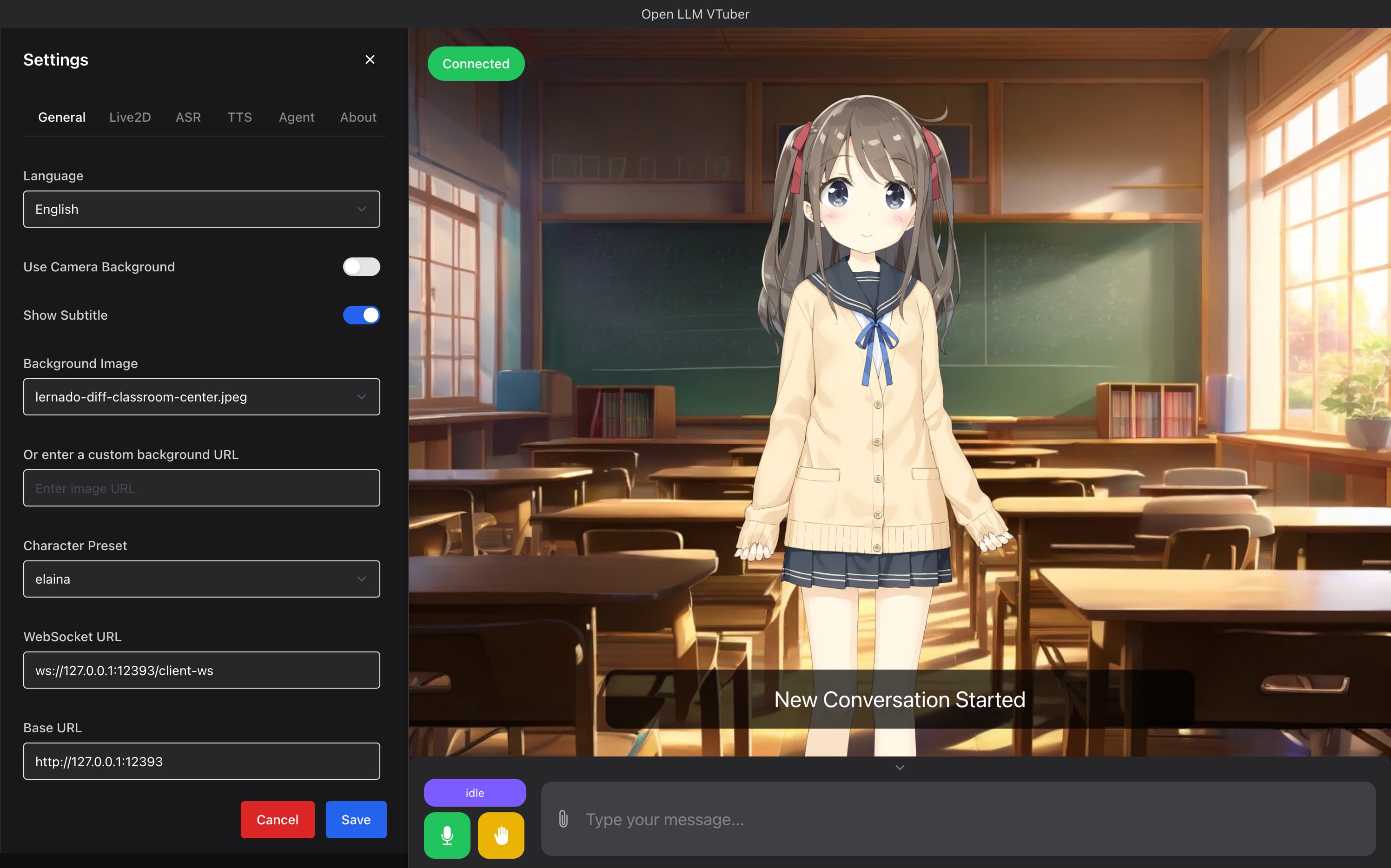
Image source: assets/i1.jpg: https://github.com/Open-LLM-VTuber/Open-LLM-VTuber/blob/main/assets/i1.jpg
The interface combines character rendering, background selection, text input, microphone control and configuration options.
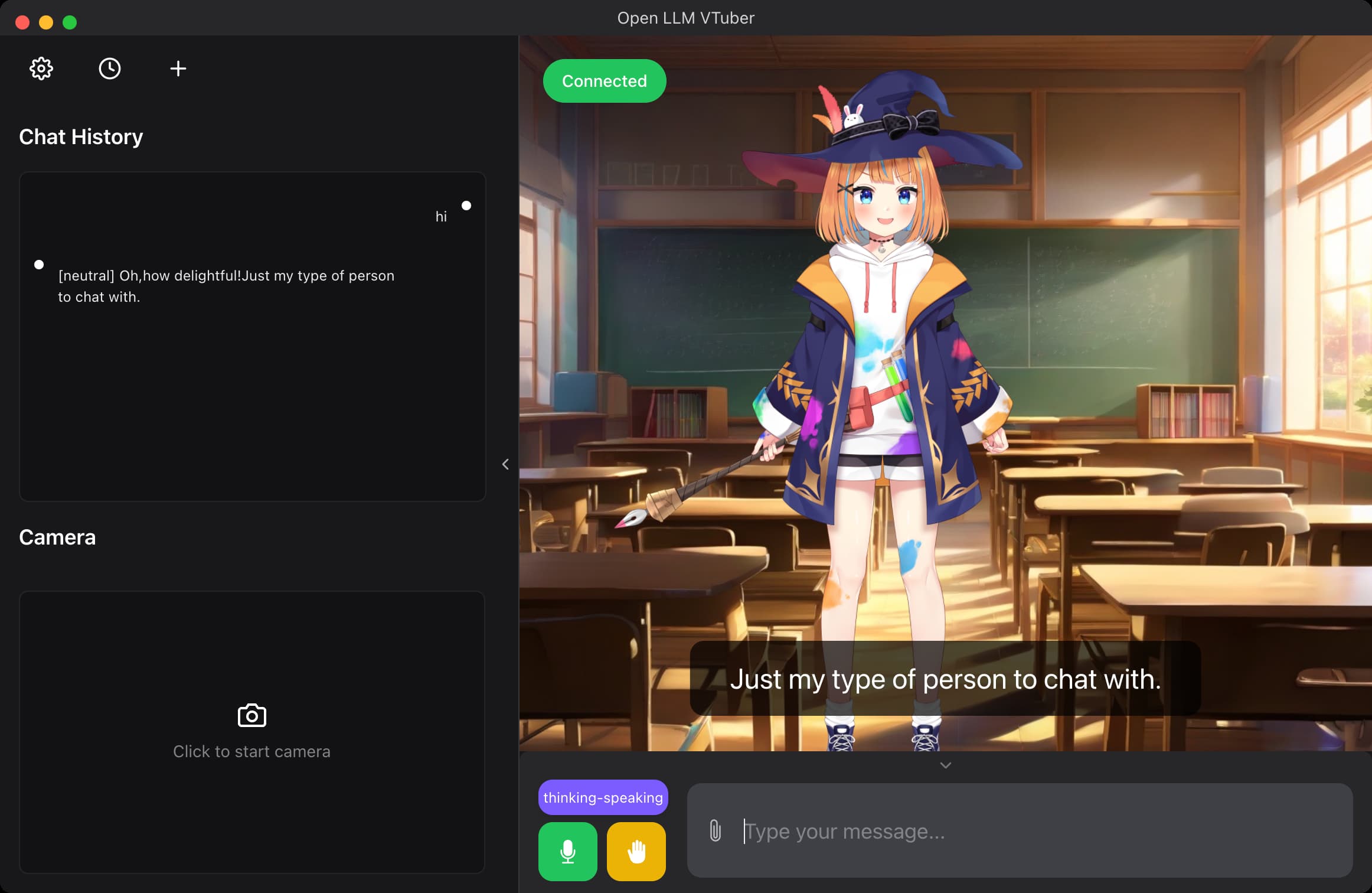
Image source: assets/i1_app_mode.jpg: https://github.com/Open-LLM-VTuber/Open-LLM-VTuber/blob/main/assets/i1_app_mode.jpg
A normal interaction follows this pipeline:
- the user speaks;
- ASR transcribes the audio;
- the agent combines the transcript with the character prompt and chat context;
- the LLM writes a response;
- TTS generates speech;
- the frontend plays audio and changes Live2D expressions;
- interruption stops the current response and returns the system to listening.[1]
Desktop pet mode
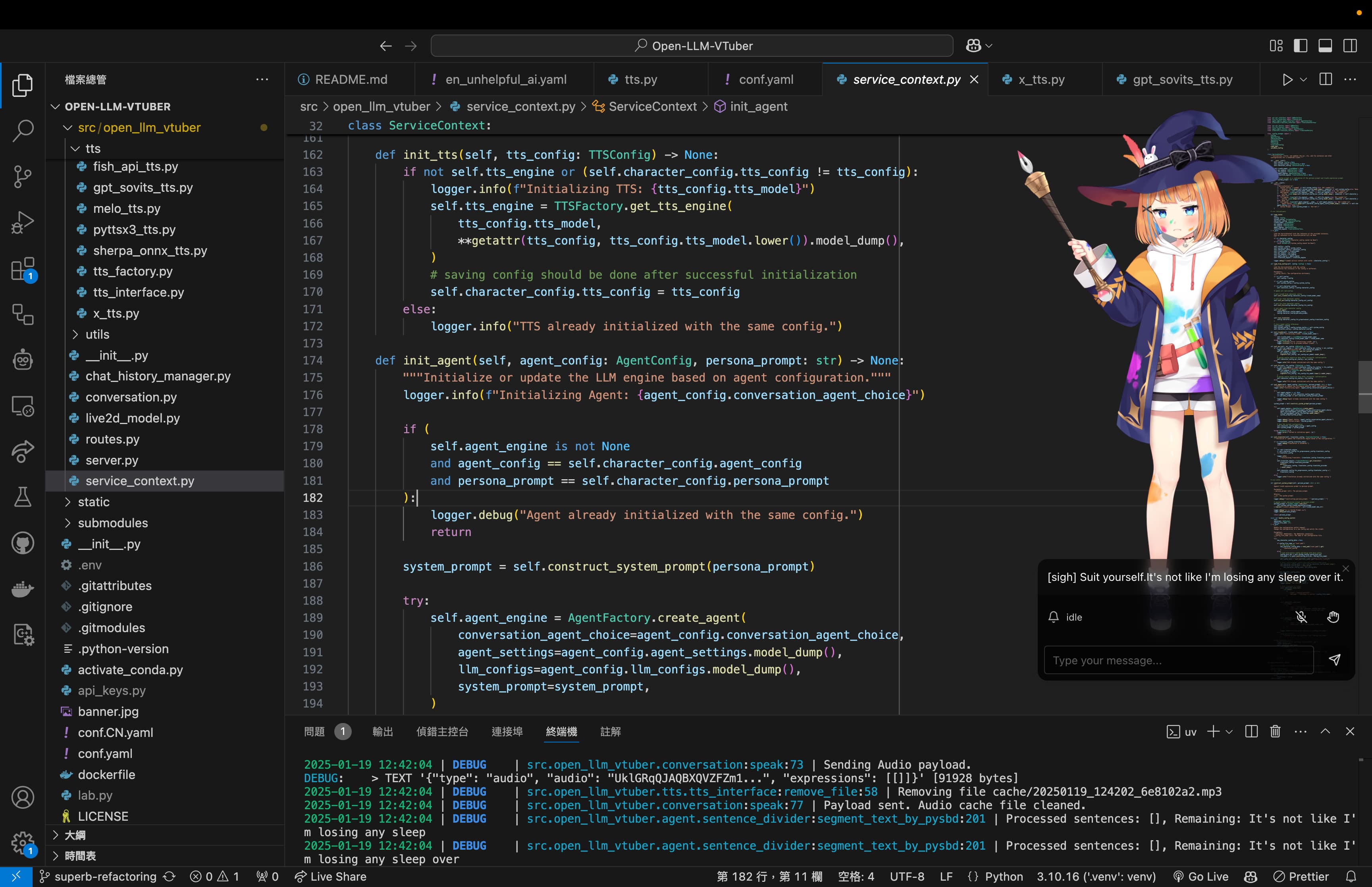
Image source: assets/i2.jpg: https://github.com/Open-LLM-VTuber/Open-LLM-VTuber/blob/main/assets/i2.jpg
Desktop-pet mode uses a transparent window so the character can remain above other applications.
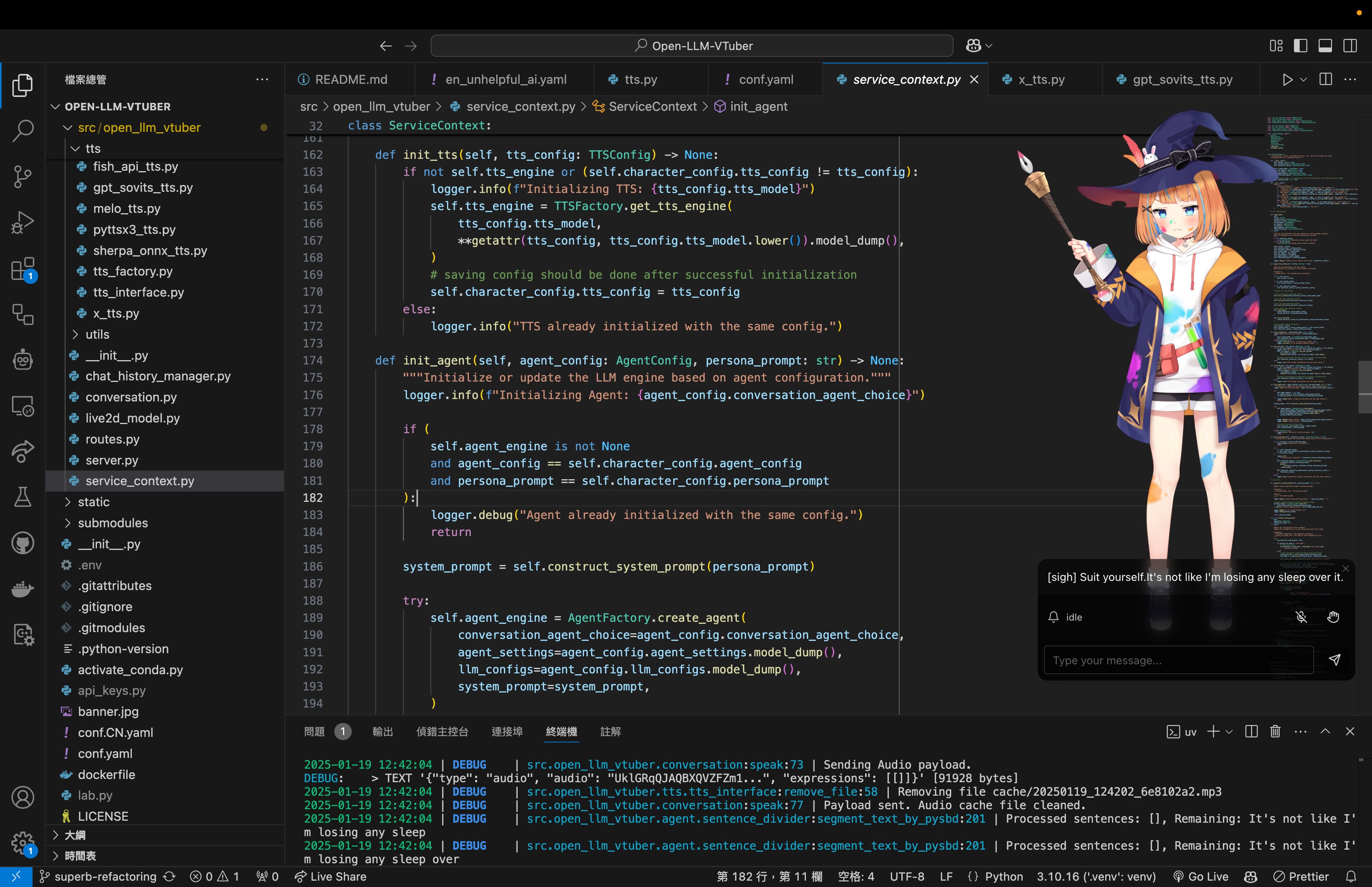
Image source: assets/i2_pet_vscode.jpg: https://github.com/Open-LLM-VTuber/Open-LLM-VTuber/blob/main/assets/i2_pet_vscode.jpg
The README describes transparent backgrounds, always-on-top behavior, optional mouse click-through, dragging, touch feedback and Live2D emotion mapping.[1]
The Electron client requires the backend server to be running. The documentation warns that users may see operating-system security prompts because some application builds are unsigned.[2]
Camera and screen vision
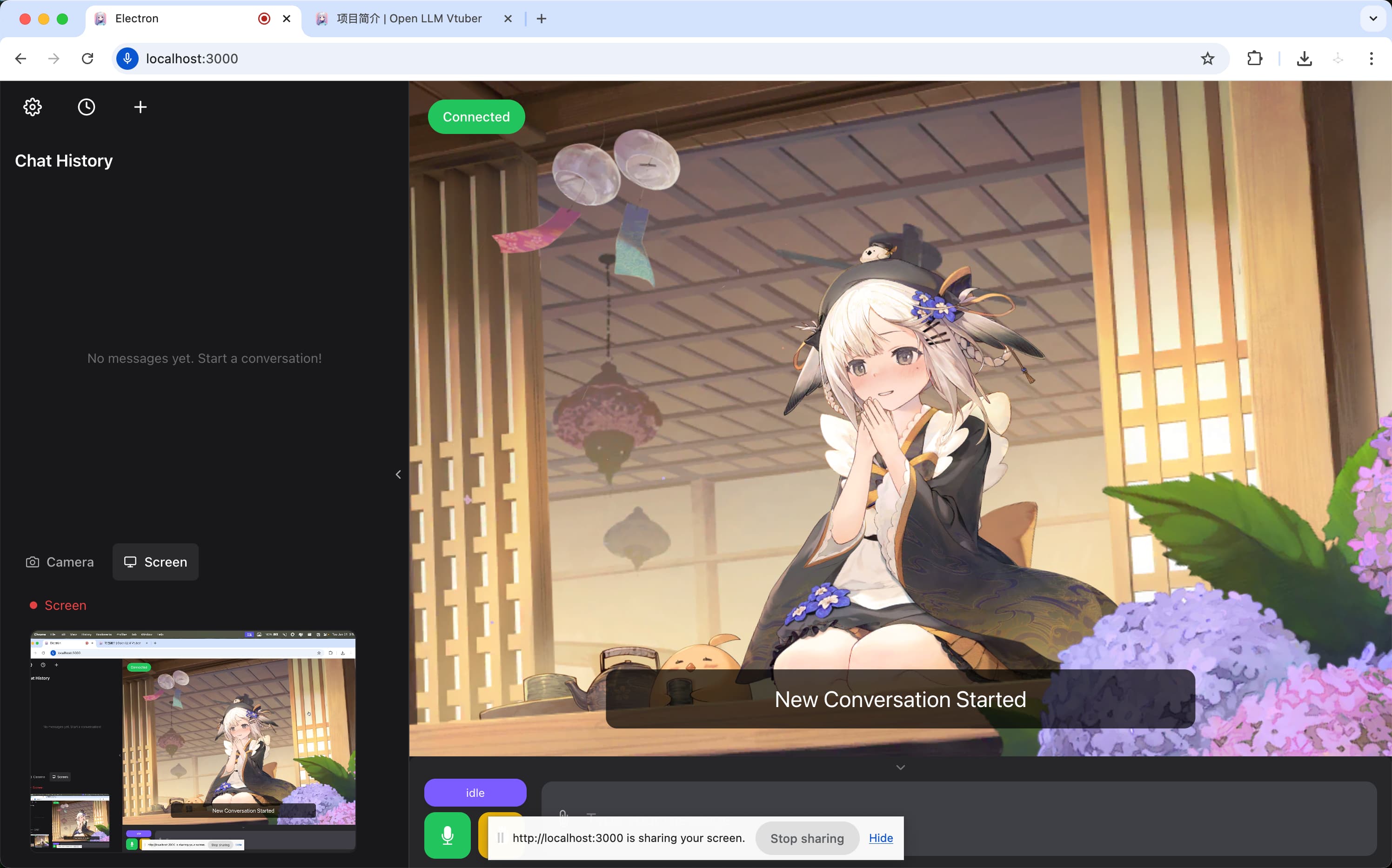
Image source: assets/i3.jpg: https://github.com/Open-LLM-VTuber/Open-LLM-VTuber/blob/main/assets/i3.jpg
The project can provide camera frames, screenshots or shared-screen images to a vision-capable model.[1]
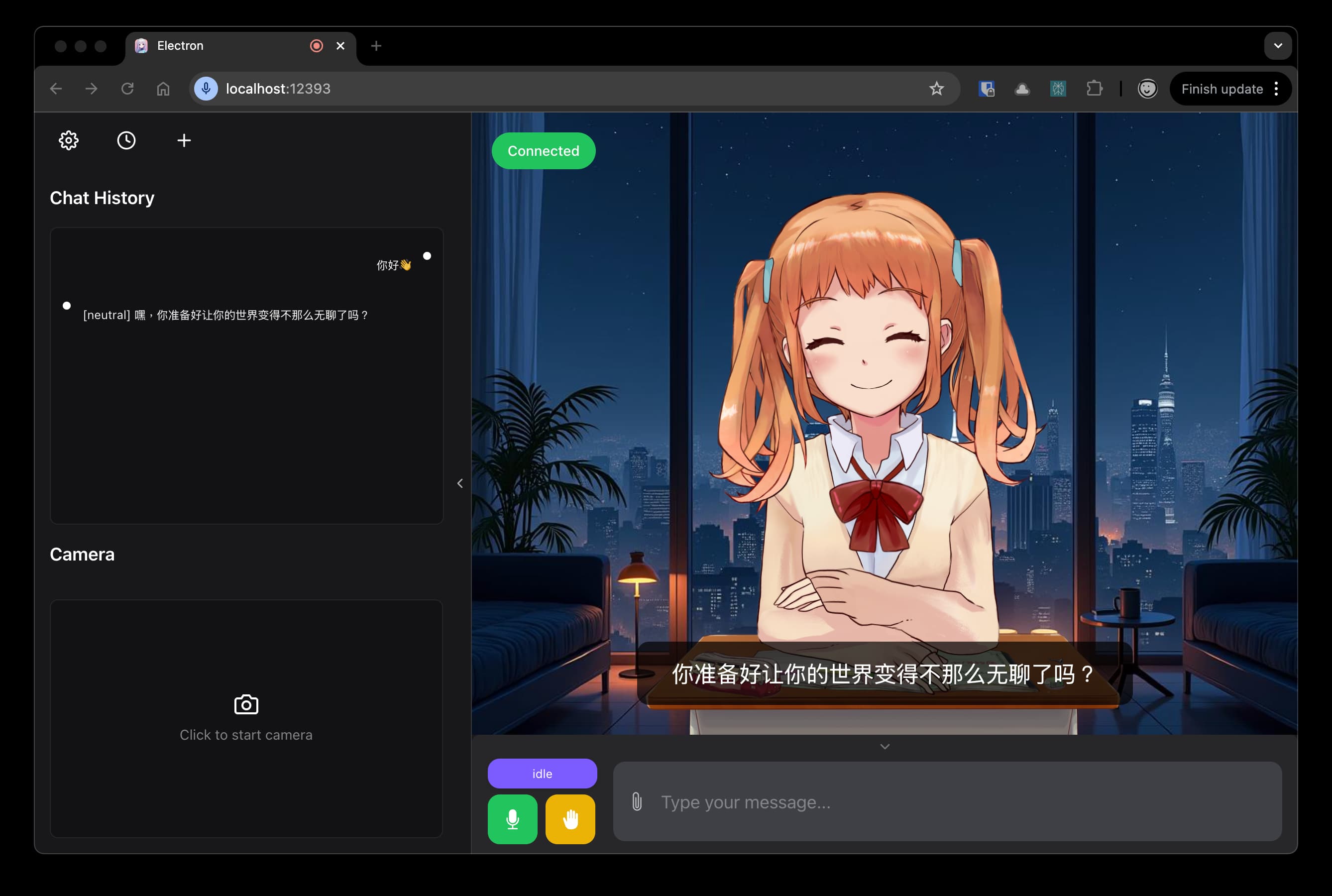
Image source: assets/i3_browser_world_fun.jpg: https://github.com/Open-LLM-VTuber/Open-LLM-VTuber/blob/main/assets/i3_browser_world_fun.jpg
Visual understanding depends on the selected LLM. A text-only model cannot fully interpret the screen even when capture is enabled.
Character and scene customization
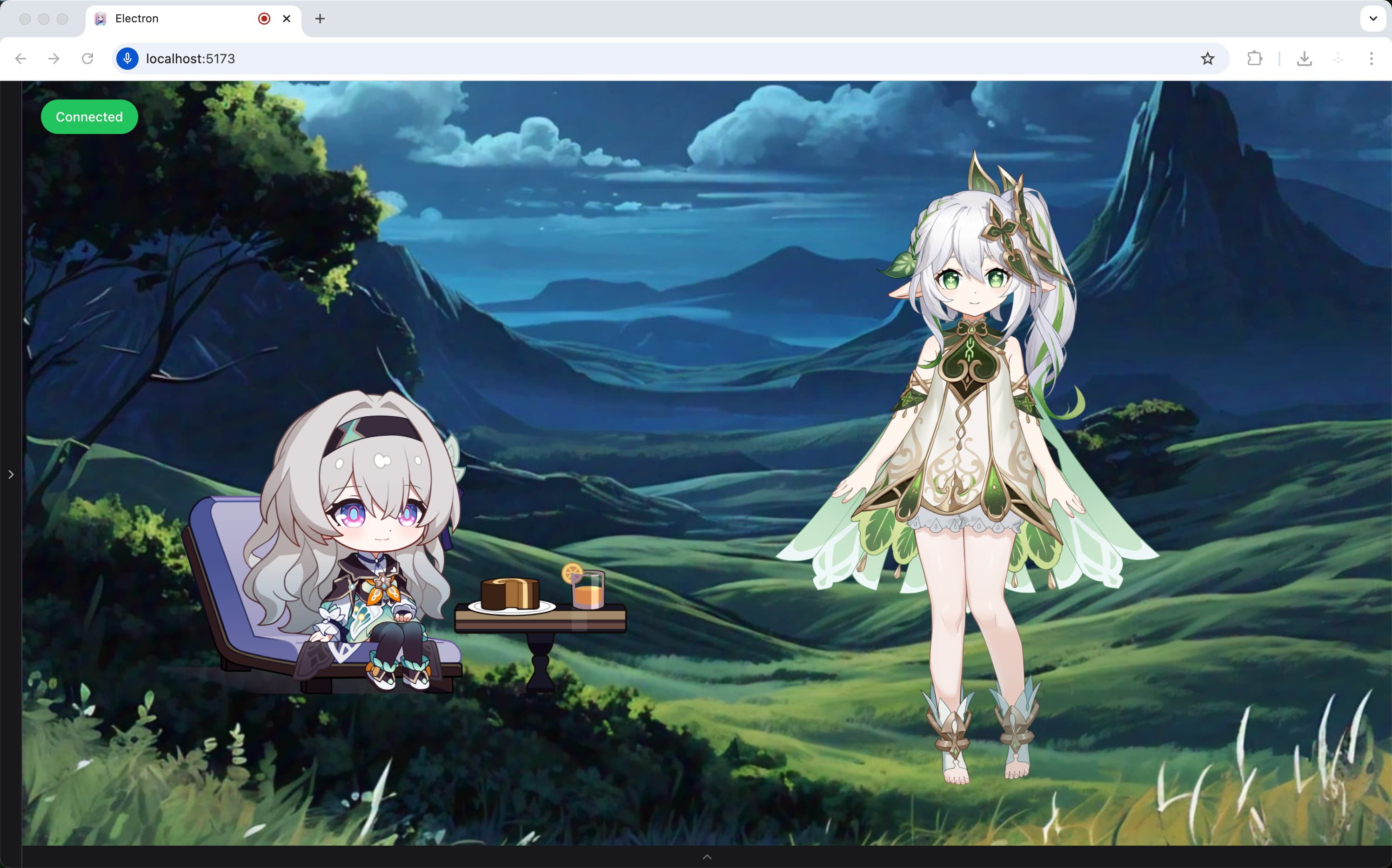
Image source: assets/i4.jpg: https://github.com/Open-LLM-VTuber/Open-LLM-VTuber/blob/main/assets/i4.jpg
Users can import Live2D models, change backgrounds and define a persona through prompts.
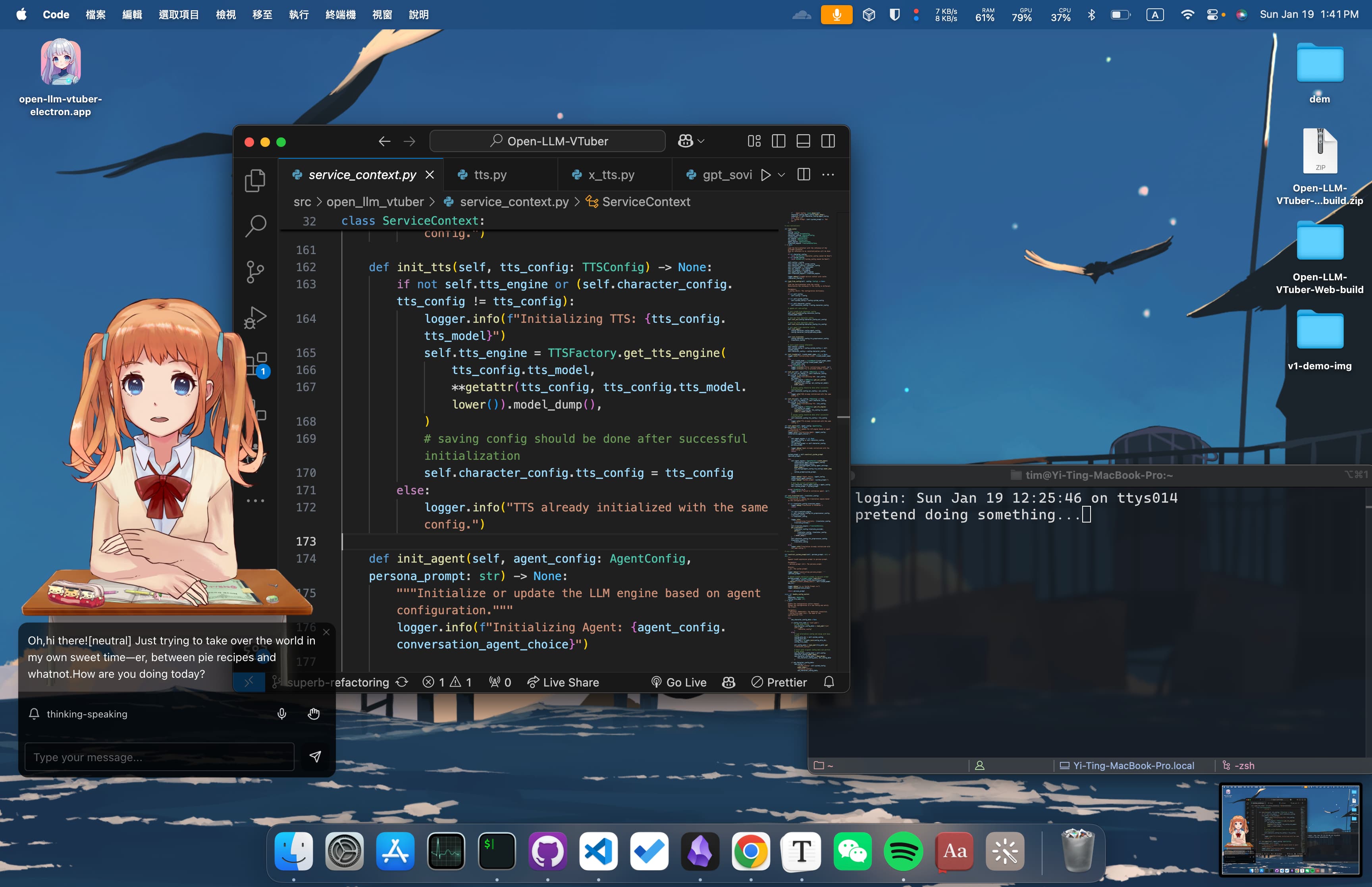
Image source: assets/i4_pet_desktop.jpg: https://github.com/Open-LLM-VTuber/Open-LLM-VTuber/blob/main/assets/i4_pet_desktop.jpg
The README also lists visible inner thoughts, proactive speech, chat-log persistence and TTS translation, such as using a Japanese voice while chatting in another language.[1]
Supported backends
LLM
The project lists Ollama, OpenAI-compatible APIs, OpenAI, Claude, Gemini, Mistral, DeepSeek, Zhipu AI, GGUF, LM Studio and vLLM.[1]
Speech recognition
Supported ASR options include sherpa-onnx, FunASR, Faster-Whisper, Whisper.cpp, Whisper, Groq Whisper and Azure ASR.[1]
Text-to-speech
TTS options include sherpa-onnx, pyttsx3, MeloTTS, Coqui-TTS, GPT-SoVITS, Bark, CosyVoice, Edge TTS, Fish Audio and Azure TTS.[1]
A user can run some components locally and use APIs for the components that require more hardware.
Basic installation flow
The official quick-start example uses Ollama, sherpa-onnx/SenseVoiceSmall and Edge TTS.[2]
The general process is:
- install Git;
- install FFmpeg;
- install a supported Python version and
uv; - obtain the release package or clone with submodules;
- install dependencies;
- create or copy
conf.yaml; - configure LLM, ASR and TTS;
- start the backend;
- open the web or Electron client.[2]
Recommended commands:
git clone https://github.com/Open-LLM-VTuber/Open-LLM-VTuber --recursive
cd Open-LLM-VTuber
uv sync
uv run run_server.py
The default web address is:
Example
Common problems
Missing frontend after downloading ZIP
The frontend is linked through a Git submodule. The documentation warns against using GitHub’s Code → Download ZIP because that archive can omit the frontend and Git information needed by the updater.[2]
Use a stable release package or clone with --recursive.
FFmpeg is missing
FFmpeg is required. Without it, the application may report missing audio files.[2]
Unsupported Python version
The documentation recommends Python 3.10 through a version below 3.13.[2]
Problematic project path
The documentation recommends an ASCII/English-only project path because some tools may fail with non-Latin or special characters.[2]
Proxy blocks localhost
A proxy that does not bypass localhost can prevent connections to Ollama, GPT-SoVITS or other local services.[2]
Microphone fails during remote access
Browsers require a secure context for microphone access. Accessing the server from another device normally requires HTTPS, often through a reverse proxy.[1]
Browser differences
The current quick-start guide recommends Chrome and notes known issues with browsers such as Edge and Safari.[2]
Development status
The README says the team is planning Open-LLM-VTuber v2.0 as a complete rewrite. New feature requests for v1 are discouraged while bug fixes and existing pull requests continue.[1]
The README says long-term memory is temporarily removed, while the quick-start documentation describes a Letta/MemGPT option added in v1.2.0. These statements may refer to different versions or development states, so users should verify the exact release they install.[1][2]
Licensing
The main source code uses the MIT License.[3]
Live2D sample models and related artwork are governed by separate Live2D terms and may include additional character-specific restrictions.[1][4]
Forking the code under MIT does not automatically grant unrestricted commercial rights to every included character or screenshot.
Complete illustration extraction from the assets directory
The following list embeds every JPG file present in the repository’s assets directory at the time of review.
English banner
Chinese banner

Korean banner

Application interface
Application interface — descriptive filename
Desktop pet over VS Code
Desktop pet over VS Code — descriptive filename
Screen sharing in browser
Browser screen-sharing scene — descriptive filename
Multiple characters and background
Desktop character scene — descriptive filename
SEO
Meta title: What Is Open-LLM-VTuber? Build a Local Live2D AI Companion
Meta description: Open-LLM-VTuber combines LLMs, speech recognition, TTS and Live2D to create a local voice AI companion for Windows, macOS and Linux.
Primary keywords: Open-LLM-VTuber, local AI VTuber, Live2D AI companion, Ollama Live2D, AI desktop pet, local voice assistant
Suggested slug: open-llm-vtuber-local-live2d-ai-companion
GEO summary
Open-LLM-VTuber is an open-source system for creating a Live2D AI companion with voice conversation, interruption, camera or screen vision and a transparent desktop-pet mode. It combines ASR, an LLM or agent, TTS and a Live2D frontend and supports Windows, macOS and Linux. Components can run locally through tools such as Ollama and Whisper or use cloud APIs. Correct setup requires FFmpeg, a supported Python version and cloning with Git submodules. The code is MIT licensed, while bundled Live2D sample models use separate licenses.
Sources
[1] Open-LLM-VTuber — GitHub README
https://github.com/Open-LLM-VTuber/Open-LLM-VTuber
[2] Open-LLM-VTuber — Quick Start Documentation
https://docs.llmvtuber.com/docs/quick-start/
[3] Open-LLM-VTuber — MIT License
https://github.com/Open-LLM-VTuber/Open-LLM-VTuber/blob/main/LICENSE
[4] Open-LLM-VTuber — Live2D Sample Model License
https://github.com/Open-LLM-VTuber/Open-LLM-VTuber/blob/main/LICENSE-Live2D.md
[5] Open-LLM-VTuber — Live2D Guide
https://docs.llmvtuber.com/docs/user-guide/live2d/
Written by PixelRouter Editorial Team
We publish deep, authoritative guides on AI infrastructure, API gateway security, cloud financial management, and system optimizations for developers.
FAQ
What components make up Open-LLM-VTuber?
Open-LLM-VTuber connects five modules: an ASR system that converts speech to text, an LLM or agent that generates responses, a TTS engine that turns text into audio, a Live2D frontend that renders the character and expressions, and optional camera or screen capture that provides visual context.
How do I install and run Open-LLM-VTuber?
Install Git, FFmpeg, and a supported Python version (3.10–3.12). Clone the repository with submodules (`git clone --recursive https://github.com/Open-LLM-VTuber/Open-LLM-VTuber`). Run `uv sync` to install dependencies, then start the server with `uv run run_server.py`. Open the web client at http://localhost:12393 or launch the Electron desktop client.
Which back‑ends are supported for LLM, speech recognition, and text‑to‑speech?
LLM back‑ends include Ollama, OpenAI‑compatible APIs, Claude, Gemini, Mistral, DeepSeek, Zhipu AI, GGUF, LM Studio and vLLM. ASR options cover sherpa‑onnx, FunASR, Faster‑Whisper, Whisper.cpp, Whisper, Groq Whisper and Azure ASR. TTS choices include sherpa‑onnx, pyttsx3, MeloTTS, Coqui‑TTS, GPT‑SoVITS, Bark, CosyVoice, Edge TTS, Fish Audio and Azure TTS.