Creator Guides
YouTube Deceptive Content Policy: Part 2 — How to Identify, Fix, and Pre-Check Risky Content
A practical creator guide to YouTube policies on spam, scams, impersonation, fake engagement, external links, AI/synthetic media, and harmful misinformation.
💡Key Takeaways
- A practical creator guide to YouTube policies on spam, scams, impersonation, fake engagement, external links, AI/synthetic media, and harmful misinformation.
YouTube Deceptive Content Policy: Part 2
Updated: June 5, 2026
Topic: Spam, scams, impersonation, fake engagement, external links, AI/synthetic content, and misleading content on YouTube.
Purpose: Help creators review videos, descriptions, thumbnails, pinned comments, links, and playlists before publishing.
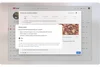
Image source: YouTube Blog — “How we're helping creators disclose altered or synthetic content”. Image format: WebP, not SVG. Image source.
Quick summary
On YouTube, “deceptive content” is not limited to obvious scam videos. Risk can also come from titles, thumbnails, descriptions, pinned comments, external links, playlists, engagement behavior, and realistic AI/synthetic media when they mislead viewers. YouTube’s Spam Policy says YouTube does not allow content, metadata, or behavior designed to take advantage of the community, spam users, manipulate the platform, or mislead viewers to boost engagement.1
The practical point is that YouTube evaluates both the main content and the distribution context. A video may be risky because its description links to a phishing site, its thumbnail promises something the video does not deliver, its pinned comment sends viewers to a scam page, its playlist title creates a false expectation, or its channel branding makes people think it belongs to someone else.
1. What counts as deceptive behavior on YouTube?
1.1. Spam and platform manipulation
High-risk behavior often involves repetition, automation, mass production, or attempts to evade detection. YouTube lists examples such as engagement manipulation, comment spam, off-platform diversion, detection evasion, automated or AI-driven mass production with minimal variation, scraped content, scams, and malicious clickbait.1
Common risky examples:
- Uploading many nearly identical videos with only small title or voiceover changes.
- Using the same AI images, same background music, and same script structure across dozens of videos without meaningful analysis or original editing.
- Re-uploading clips from TikTok, Facebook, news sites, or other YouTube videos without meaningful commentary, education, explanation, or transformation.
- Creating a short video only to push viewers to an external page, especially pages promising free software, free accounts, fake rewards, airdrops, or “content YouTube won’t allow.”
Safer correction:
Do not publish generic mass-produced videos as if volume alone were a strategy. Add original value: commentary, analysis, verified data, firsthand experience, step-by-step instruction, comparison, context, or purposeful editing. If you use AI, avoid the pattern of AI images + AI voice + generic script. Add human editing, verification, and channel-specific insight.
2. The line between clickbait and malicious clickbait
Not every attention-grabbing title violates YouTube policy. The problem starts when the title, thumbnail, or description makes viewers believe the video contains something it does not. YouTube describes “malicious clickbait” as misleading titles, thumbnails, descriptions, or imagery used to trick users into clicking on a video that does not deliver what was promised.1
| Case | Risk | Better action |
|---|---|---|
| “Speed up Windows in 5 minutes” and the video genuinely shows Windows optimization | Low | Acceptable if the content matches the promise |
| “Download Photoshop full version free” and the link points to crack software or malware | Very high | Do not use; this may involve link and scam violations |
| “Full match” but the video only contains a short highlight | High | Use “highlight”, “recap”, or “analysis” instead |
| Thumbnail says “YouTube banned AI” but the video only discusses AI labels | High | Use a precise claim: “YouTube requires AI disclosure in some realistic-content cases” |
A simple test: after seeing the title and thumbnail, can a viewer accurately predict the main content of the video? If not, revise before publishing.
3. Impersonation is broader than copying a channel name
YouTube’s impersonation policy is not limited to identical names. YouTube prohibits impersonating a person, entity, or channel in a way that may mislead viewers and harm the community. The policy can include copying branding, content, usernames, or using AI to copy someone’s voice or likeness to make it appear that the channel is owned or authorized by that person.2
Review these points:
- Does the channel name use “Official”, “Real”, “Backup”, “Live”, or “Shorts” in a way that could make viewers think it is an official channel?
- Do the avatar, banner, color scheme, or thumbnail layout intentionally resemble another channel?
- Does the content use AI voice or AI likeness of a person to make them appear to speak, endorse, or authorize something?
- If it is a fan channel, is that clearly stated in the channel name, handle, and description?
Safer correction:
For fan channels, make the fan status explicit with wording such as “fan channel”, “not official”, or “not affiliated with…”. Avoid avatars, banners, and names that are too close to the original entity. If you use AI to recreate a real person’s voice or likeness, consider impersonation policy, privacy, likeness rights, and AI disclosure requirements together.
4. AI/synthetic content: when disclosure is needed
YouTube requires creators to disclose AI-generated or meaningfully AI-altered photorealistic content. This includes content that makes a real person appear to say or do something they did not do, alters footage of a real event or place, or generates a realistic scene that did not actually occur.3
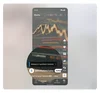
Image source: YouTube Blog — example of AI labels on video/Shorts. Image format: WebP, not SVG. Image source.
Disclose in YouTube Studio if:
- AI creates a realistic-looking fire, disaster, protest, accident, or event.
- AI makes a real person appear to give advice, make a political statement, promote a product, or admit something they did not actually say.
- AI adds realistic footage of a real location in a way viewers could mistake for real footage.
- AI-generated music, images, or video could affect how viewers understand an event.
Usually no disclosure is needed if:
YouTube Help states that non-realistic AI content or minor edits generally do not require disclosure. Examples include beauty filters, color or lighting adjustments, background blur, script or thumbnail assistance, caption creation, video upscaling/repair, and cloning your own voice for voiceovers or dubs, as long as these do not mislead viewers about what actually happened.3
Practical rule: if a realistic AI element could make a viewer ask “Did this really happen?”, lean toward disclosure.
5. Misinformation and manipulated content
YouTube does not remove every minor mistake, but it does prohibit certain misleading or deceptive content that carries a serious risk of egregious harm. YouTube’s Misinformation Policies include technically manipulated content that misleads users and may cause serious harm, misattributed content that falsely presents old footage as current, and content that interferes with democratic or census processes.4
Avoid:
- Posting old protest, war, disaster, or crisis footage as if it were happening today.
- Translating subtitles inaccurately in a way that inflames political or social tensions.
- Editing footage to make viewers believe a public official, public figure, or organization said or did something false.
- Using images or videos from another country while presenting them as evidence from the current location.
For analysis or debunking content:
State the footage source, date, location, verification status, and uncertainty level. If the purpose is to criticize, dispute, satirize, or educate about misinformation, YouTube may consider EDSA context — educational, documentary, scientific, or artistic — but this is not a pass to promote misinformation.4
6. External links: a safe video can still become risky because of a link
YouTube’s External Links Policy prohibits links that send users to content violating Community Guidelines. Links can appear in descriptions, comments, pinned comments, live chat, video, audio, images, obfuscated URLs, and even verbal directions to visit another site. YouTube lists risky link categories including phishing, malware, prohibited content, and misleading or deceptive content that may cause serious harm.5
Pre-publish link checklist:
- Does the link ask viewers to enter passwords, OTP codes, seed phrases, bank details, IDs, or private documents?
- Does it promise “free”, “unlock”, “crack”, “hack”, “airdrop”, or “quick money” without a trustworthy source?
- Does it redirect through multiple shorteners or unfamiliar domains?
- Does it lead to content that YouTube would not allow directly on the platform?
- Is affiliate content being posted excessively across dedicated accounts or repetitive videos?
If you cannot verify the link, do not place it in descriptions, pinned comments, overlays, or on-screen text.
7. Fake engagement: sub4sub and bought views are not growth strategies
YouTube does not allow artificial increases in views, likes, comments, subscribers, or other metrics through automated systems, unsuspecting viewers, or content that exists solely to incentivize engagement. The Fake Engagement Policy also notes that if you hire someone to promote your channel, their actions can still affect your channel.6
Do not:
- Buy views, subscribers, likes, or comments.
- Use viewbots for livestreams.
- Join “sub4sub” or reciprocal engagement schemes.
- Create videos promoting services that sell artificial views/subscribers.
- Use polls, community posts, or calls to action solely to force meaningless engagement.
Allowed:
YouTube allows ordinary calls to action asking viewers to like, subscribe, share, or comment, as long as they do not rely on deception, coercion, rewards, or automated systems.6
8. Playlists can also violate policy
Many creators review individual videos but ignore playlists. YouTube states that playlists must follow Community Guidelines; if combining the videos into one single video would violate the rules, the playlist may violate them as well. Playlists with titles or descriptions that mislead viewers about what they are about to watch are also risky.7
Examples:
- A playlist titled “Full match” that only contains short highlights.
- A playlist of old news clips titled as if it covers a current event.
- A playlist using shocking thumbnails or misleading descriptions.
- A playlist that still contains multiple videos removed for policy violations.
9. If you receive a warning, strike, or removal notice
When YouTube removes content for a Community Guidelines violation, a channel may receive a warning or strike. YouTube’s appeal guidance says creators should review the related policy before appealing. For warnings and strikes, creators can appeal for 6 months after issuance; for content removals, the appeal window is up to 1 year after removal.8
Do not delete the video immediately if you want to appeal. YouTube Help says deleting a video does not resolve the strike; the strike remains on the channel and you may not be able to appeal again.8
Practical process:
- Read YouTube’s email and identify the cited policy.
- Open YouTube Studio and check the “Channel violations” card.
- Compare the video, description, thumbnail, pinned comments, links, and playlists against the relevant policy.
- If you believe YouTube made an error, prepare a short, specific appeal.
- Avoid vague appeals such as “my channel did not violate anything.” Explain why the content does not fit the prohibited category, or where the educational/documentary/analytical context appears.
- If a relevant policy training is available, complete it and avoid the same policy violation for 90 days.
YouTube Help says policy training is a short in-product educational experience based on the specific violated policy. If completed, a warning can expire after 90 days from completion. However, repeated violations or a single severe case can still lead to account termination.9
10. Pre-publish self-check table
| Area | Question | Action if risky |
|---|---|---|
| Title | Does it promise something the video does not provide? | Rewrite to match the actual scope |
| Thumbnail | Does it use misleading, fake, or out-of-context imagery? | Replace with accurate context |
| Description | Does it include unverified, shortened, or reward/download links? | Remove or replace with official sources |
| Pinned comment | Does it push viewers to another site for rewards, tools, or personal data entry? | Delete or rewrite |
| AI | Does it realistically depict a real person, real place, or real event? | Use the AI disclosure setting in YouTube Studio |
| Footage source | Is the footage from another time or place? | Add source, date, location, and verification status |
| Engagement | Are views/subscribers/comments bought or exchanged? | Stop immediately and remove related promotions |
| Channel branding | Does it resemble another person, entity, or channel? | Change branding and clarify fan/parody status when relevant |
| Playlist | Does the playlist title mislead viewers about its contents? | Rename it and remove mismatched videos |
11. Safer video description template
This video analyzes [topic] using the sources cited below. Some visuals are illustrative and do not represent a current real-world event unless clearly stated.

Sources:
- [Source 1]
- [Source 2]

If realistic AI/synthetic content is used: This video uses AI/synthetic media in the following illustrative sections: [brief description]. These visuals are illustrative and are not original footage of a real event.
This template does not guarantee compliance, but it helps viewers and reviewers understand context.
FAQ
Do I need to disclose AI-generated thumbnails?
YouTube Help says AI used for production assistance, including thumbnails, generally does not require disclosure, unless it meaningfully alters or generates realistic content in a way that could mislead viewers about a real person, place, scene, or event.3
Is using a celebrity AI voice risky?
Yes. If an AI voice makes viewers believe the person actually spoke, authorized, or participated in the content, it can raise impersonation and AI disclosure issues.23
Is re-uploading safe if I credit the source?
Not necessarily. YouTube identifies scraped content as reposting material from other sites, platforms, or videos without adding original commentary, educational value, or unique editing.1
Are affiliate links banned?
Not automatically. YouTube Help notes that affiliate content does not violate YouTube’s Terms of Use by itself, but excessive affiliate posting in dedicated accounts may violate spam policies.5
Does deleting a video remove a strike?
No. YouTube Help states that deleting a video does not resolve a strike; the strike remains on the channel and you may not be able to appeal again.8
Sources
Footnotes
-
YouTube Help — Spam Policy: https://support.google.com/youtube/answer/2801973?hl=en ↩ ↩2 ↩3 ↩4
-
YouTube Help — Impersonation Policy: https://support.google.com/youtube/answer/2801947?hl=en ↩ ↩2
-
YouTube Help — Disclosing use of GenAI content: https://support.google.com/youtube/answer/14328491?hl=en ↩ ↩2 ↩3 ↩4
-
YouTube Help — Misinformation Policies: https://support.google.com/youtube/answer/10834785?hl=en ↩ ↩2
-
YouTube Help — External Links Policy: https://support.google.com/youtube/answer/9054257?hl=en ↩ ↩2
-
YouTube Help — Fake Engagement Policy: https://support.google.com/youtube/answer/3399767?hl=en ↩ ↩2
-
YouTube Help — Playlists Policy: https://support.google.com/youtube/answer/9713446?hl=en ↩
-
YouTube Help — Appeal a Community Guidelines strike or video removal: https://support.google.com/youtube/answer/185111?hl=en ↩ ↩2 ↩3
-
YouTube Help — Community Guidelines strike basics on YouTube: https://support.google.com/youtube/answer/2802032?hl=en ↩
Written by PixelRouter Editorial Team
We publish deep, authoritative guides on AI infrastructure, API gateway security, cloud financial management, and system optimizations for developers.
FAQ
Do I need to disclose AI-generated thumbnails on YouTube?
YouTube Help says AI used for production assistance, including thumbnails, generally does not require disclosure, unless it meaningfully alters or generates realistic content in a way that could mislead viewers about a real person, place, scene, or event.
Is using a celebrity AI voice risky?
Yes. If an AI voice makes viewers believe the person actually spoke, authorized, or participated in the content, it can raise impersonation and AI disclosure issues.
Is re-uploading content safe if I credit the source?
Not necessarily. YouTube identifies scraped content as reposting material from other sites, platforms, or videos without adding original commentary, educational value, or unique editing.
Are affiliate links banned on YouTube?
Not automatically. YouTube Help notes that affiliate content does not violate YouTube’s Terms of Use by itself, but excessive affiliate posting in dedicated accounts may violate spam policies.
Does deleting a video remove a YouTube strike?
No. YouTube Help states that deleting a video does not resolve a strike; the strike remains on the channel and you may not be able to appeal again.
📂Related posts
Creator Guides
YouTube Deceptive Content Policy Guide for Creators
A creator-focused guide to YouTube policies on spam, scams, impersonation, fake engagement, misinformation, manipulated media, elections misinformation, and AI disclosure.
Creator Guides
YouTube Policy Knowledge for Creators in 2026
A clear creator-focused guide to YouTube policies covering Community Guidelines, copyright, Content ID, monetization, advertiser-friendly rules, Shorts, and AI disclosure.